

When you add an OpenAPI spec to Zudoku, the sidebar is generated automatically from the schema's tags and operations. Navigation rules let you extend or modify that sidebar without changing the schema itself. Common use cases include inserting getting-started docs, adding external links, or hiding deprecated endpoints.
Setup
Navigation rules require two things in your zudoku.config.tsx:
- A
navigationentry that creates a tab linked to your API - A
navigationRulesarray with rules that target that tab
Code
Inserting docs
Use type: "insert" to add items before or after a matched sidebar item. The match string uses
the tab label as the first segment and navigates into the sidebar tree.
Code
This inserts a "Getting Started" doc before the first item in the Shipments sidebar.
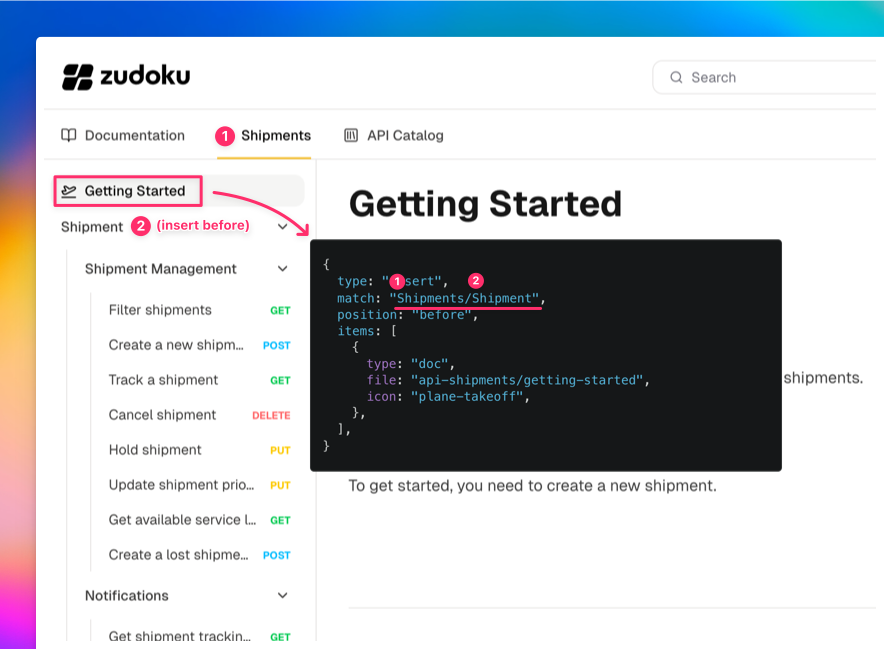
The MDX file lives at pages/api-shipments/getting-started.mdx (under your configured docs
directory, matching the API's base path).
Adding links
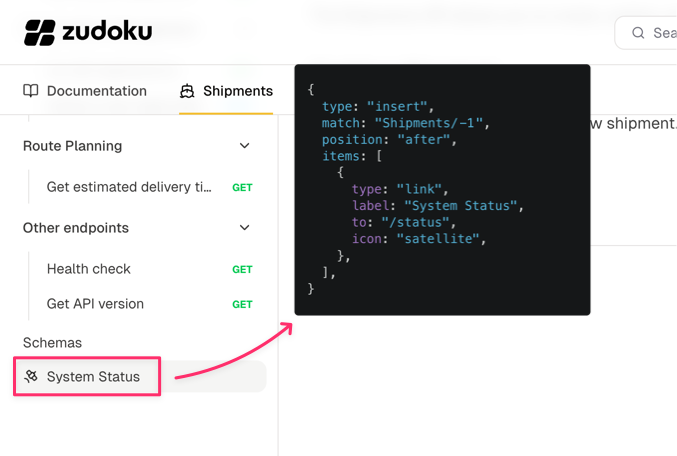
You can insert external or internal links the same way:
Code
The -1 index targets the last item, and position: "after" places the link at the very end of the
sidebar.
Modifying items
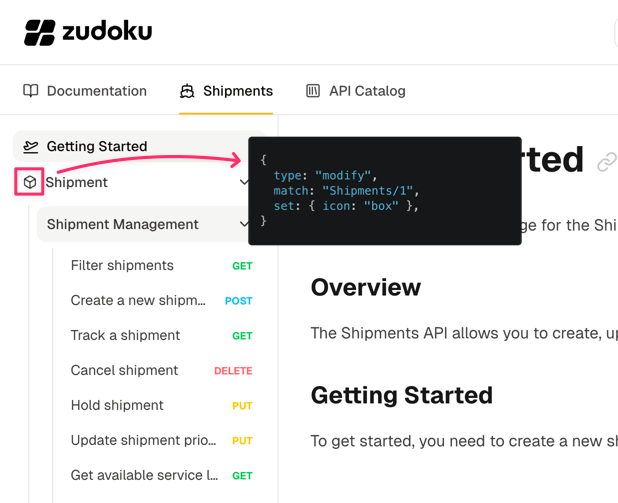
Use type: "modify" to change properties of existing sidebar items like their icon, label, or
collapsed state:
Code
Removing items
type: "remove" hides items from the sidebar. This is rarely needed since it's usually better to
fix the underlying source, but can be useful as a quick workaround:
Code
Complete example
This is the configuration used in the Cosmo Cargo demo shown above:
Code
Match syntax reference
For the full match syntax including label matching, index selectors, and nested paths, see the Navigation Rules reference.